
Apollo services can mean several different businesses, but this guide focuses on streaming subscriptions marketed under the Apollo Group TV and Apollo IPTV names. These services are generally presented as ways to watch live television and on-demand video through an internet connection. Because similarly named sellers publish different offers, the features of one Apollo subscription should never be assumed to apply to another. apollotviptv.com
For U.S. viewers, the useful question is whether a particular plan carries the channels they watch, works on their devices, and performs reliably at home. Price matters, but so do the number of simultaneous streams, payment terms, support, and the seller’s ability to explain its content rights. This guide shows how to evaluate those points before paying and how to diagnose common problems afterward.
Table of Contents
Table of Contents
What are Apollo services?
Is Apollo a live TV service, an app, or both?
In this article, Apollo services refers to the television subscription and its associated viewing methods, rather than a single app that has identical features everywhere. A subscription may provide access to live channels and an on-demand catalog, while an app or compatible player provides the interface used to watch them. This distinction matters because installing an app does not, by itself, provide a working subscription or establish what content an account includes.
The term IPTV describes television delivered using internet protocols, although technical definitions distinguish managed IPTV networks from other video services delivered over the public internet. Readers who want a broad introduction can consult the Internet Protocol television overview, while the International Telecommunication Union provides a more precise technical definition. In everyday advertising, however, sellers often use “IPTV” broadly, so the label alone tells a buyer little about performance or content rights. itu.int
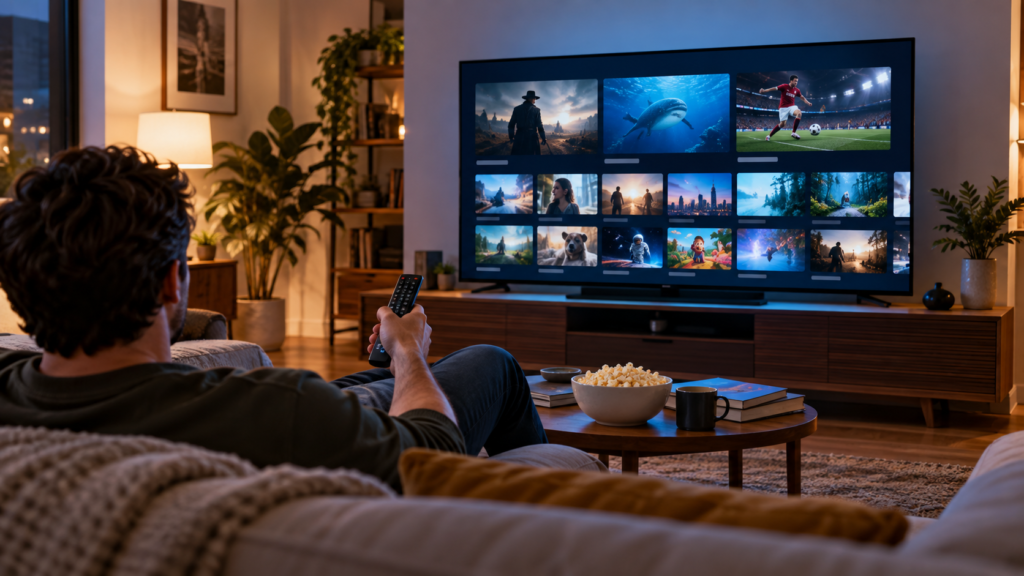
How does Apollo streaming work over an internet connection?
A viewer selects a live channel or an on-demand title in an app, and video data travels through the home network to the viewing device. The device decodes that data and displays it on a television, phone, tablet, or computer. Smooth playback depends on several links in that chain, including the provider’s stream, the internet connection, local Wi-Fi, and the device itself.
Live television is less forgiving than a movie that can buffer ahead, especially when many people try to watch the same event at once. A channel that works on a quiet afternoon may behave differently during a major game. Testing at the hours you normally watch provides more useful evidence than a large advertised channel count.
Who might find Apollo services useful?
A household considering a streaming subscription may want live sports, international channels, news, or a large movie library in one interface. Another household may simply want to replace part of a cable package and use an existing Fire TV or Android TV device. Neither use case guarantees that a particular Apollo plan is suitable; the actual channel lineup, reliability, and terms must match the viewer’s needs.
Begin with a list of five channels and five on-demand titles your household genuinely uses. Check those exact items before comparing advertised totals, because a catalog with thousands of entries still has little value if your favorites are absent. Include any local station, regional sports network, or live event that would determine whether you keep the subscription.
What do Apollo services include?
Which live TV channels and categories are available?
Apollo-branded offers commonly describe categories such as entertainment, news, sports, children’s programming, and international television. The number and identity of available channels can vary by seller, package, location, and date. Request a current channel list for the exact plan you are considering, then verify several entries through a trial or demonstration when available.
A useful check goes beyond finding a familiar logo in a list. Open the channel, confirm that its picture and sound match the listing, and check whether the stream remains stable for at least several minutes. Repeat this process for the channels your household would watch most often.
Can viewers watch live sports and local channels?
Sports access is often a deciding factor for U.S. subscribers, but a claim such as “all sports” is too vague to evaluate. Ask about the particular network, event, market, and date you need, since local and regional availability can differ. Check whether the stream works during a live game rather than assuming that an inactive channel tile proves event access.
Local stations deserve the same scrutiny. A channel labeled with a major broadcast network may carry a different city’s affiliate, omit local news, or be unavailable when you need it. If local programming is essential, compare the offered service with an antenna or a provider that clearly lists stations for your ZIP code.
What movies and shows are available on demand?
An on-demand library lets viewers start a title when they choose instead of following a live schedule. When assessing one, search for specific movies and series, then check that episodes play in order and include usable audio and subtitles. A claimed library size does not reveal how recently titles were added or whether the entries actually play.
Test several types of content rather than opening only a featured movie. Try an older film, a current series, and a children’s title if those reflect your household’s viewing. Note missing episodes, incorrect artwork, unexpected language tracks, and repeated playback failures before committing to a longer term.
Do Apollo services include a program guide, replay, or catch-up features?
An electronic program guide, often shortened to EPG, shows channel schedules and makes live television easier to browse. Replay or catch-up functions, when provided, let viewers return to programs after their original airtime. These are separate features, so the presence of a guide does not establish that a recording or replay option exists.
Inspect the guide on the device you intend to use. Check whether show names and start times match the live broadcast, whether the time zone is correct, and how far ahead the schedule extends. If replay matters, test it on a specific program instead of relying on a feature badge.
What picture quality and simultaneous viewing options are offered?
A label such as HD or 4K describes a possible resolution, not the quality of every channel. The source broadcast, compression, device, display, network, and available stream all affect what appears on screen. Compare picture quality on a fast-moving sports broadcast and a darker movie scene, where artifacts can be easier to spot.
Also distinguish devices installed from streams playing at once. A plan might allow an app on several devices while limiting how many can play video simultaneously. Ask for the exact connection limit and test two screens at once if your household expects to use them.
| Feature to verify | Why it matters | Practical test |
|---|---|---|
| Live channel lineup | Determines whether your essential programming exists | Open five priority channels |
| Sports availability | Listings may not confirm access to a particular event | Test a live event in your market |
| On-demand catalog | A large total may contain missing or unusable titles | Play selected films and episodes |
| Program guide | Incorrect schedules make live TV difficult to use | Compare listings with the live broadcast |
| Simultaneous streams | Controls how many household members can watch | Play different programs on two devices |
| Picture quality | Advertised resolution may vary by stream | Compare a sports channel and a movie |
How much do Apollo services cost?
What subscription lengths and plans are offered?
Apollo-branded websites display different packages, and offers can change over time. Compare the total amount charged today, the length of service, and the number of simultaneous connections rather than focusing on a calculated monthly equivalent. A yearly payment divided by twelve may look attractive, but the buyer still pays the full amount up front.
The safest comparison uses a written plan description saved before checkout. Record the plan name, duration, channel or feature claims, connection limit, and seller’s identity. If those details are unclear or change during payment, pause until the seller explains the discrepancy.
Does Apollo offer a trial?
Trial availability and terms should be checked with the specific seller rather than assumed from another Apollo-branded page. Find out whether the trial requires a payment method, when it expires, what features are restricted, and whether it converts automatically into a paid subscription. Use the trial to test your real viewing habits, not just whether the app opens.
The Federal Trade Commission advises consumers to review free-trial terms and cancellation policies before enrolling in a subscription. Set a reminder before the trial ends if it can renew automatically. Keep a copy of the offer and any cancellation confirmation. Consumer Advice
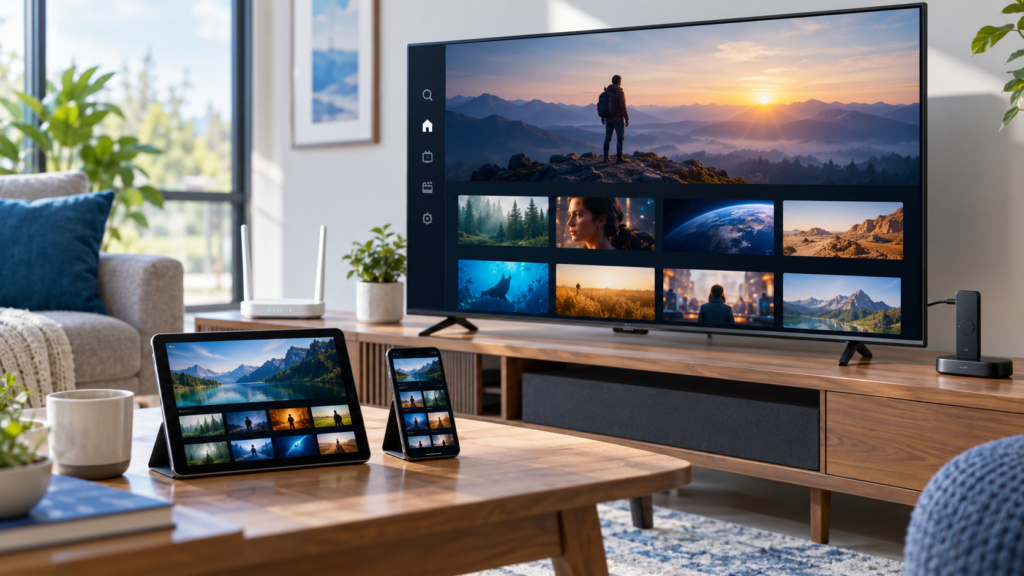
How many simultaneous streams does each plan allow?
A connection limit should state how many programs can play at the same time under one account. Ask whether the limit applies across different homes, networks, or locations, and whether mobile viewing counts against it. Avoid assuming that an advertised number of “devices” has the same meaning as simultaneous streams.
Consider the busiest hour in your household. If one person watches a game, another watches a film, and a third uses a tablet, a single-stream plan will not fit that pattern. Testing concurrent playback is especially useful when a package description uses unclear terms.
Are there device, payment, or renewal costs to consider?
A streaming stick, faster home internet, or an optional player app can add to the real cost of a subscription. Check whether any installation assistance is included and whether the service requires a separate paid application. Ask whether renewal is automatic and whether the price after an introductory period changes.
| Cost item | Question to ask before payment |
|---|---|
| Subscription | What is the full amount due for the stated term? |
| Device | Will an existing television or streaming device work? |
| Player app | Is a separate app purchase or subscription required? |
| Internet | Will the current connection support the household’s streams? |
| Renewal | Is the next charge automatic, and at what price? |
| Refund | What conditions and deadlines apply? |
What are the cancellation and refund terms?
Read the terms for the exact checkout you use, especially if a seller promotes a long plan or “lifetime” access. Identify who handles support, how to cancel, and whether unused months are refundable. A general promise of satisfaction is less useful than a policy with clear dates and a working contact method.
Save your receipt, the plan description, and a screenshot of the refund language. These records help if access fails or the delivered service differs from the offer. Do not assume that deleting an app cancels a recurring payment.
Which devices work with Apollo services?
Apollo services on Fire TV and Firestick
Fire TV devices are popular because they connect to a television through HDMI and offer a remote-friendly interface. Before choosing one, confirm the app or viewing method supported by the specific subscription you purchased. Amazon’s Fire TV guidance explains initial device setup and access to its app ecosystem, but it does not verify that every third-party streaming service is available through the Amazon Appstore. digprjsurvey.amazon.com
If a seller asks you to install software outside an app store, verify both the seller and the download source first. Avoid codes and installation files copied from social posts or unrelated websites. Keep the Fire TV system updated and remove apps you no longer trust.
Apollo services on Android TV, phones, and tablets
Android-based televisions and boxes may offer app-store installation or another supported viewing method, depending on the service. Google’s Android TV overview explains the television platform, but compatibility with Android TV does not establish compatibility with every phone app. Check the required operating-system version and installation instructions for each device type. android.com
A phone can also serve as a useful troubleshooting device. If a stream works on the phone but fails on the television while both use the same Wi-Fi, the television app or device may be involved. If both fail, examine the account, network, or service status next.
Apple TV, iPhone, and iPad compatibility
An iPhone, an iPad, and an Apple TV are different platforms with different app catalogs and controls. Ask for the exact supported app name and setup steps for each one before subscribing. A statement that a service “works on Apple” does not establish that it runs natively on an Apple TV box.
Check whether the proposed viewing method supports live channels, on-demand content, and the program guide. An alternative player may show live TV while handling other features differently. Test the functions you need on the actual Apple device rather than relying on a screenshot from another platform.
Samsung and LG smart TV options
A smart TV may have a capable processor and internet connection yet lack a compatible native app. In that situation, an external device connected by HDMI may be simpler than trying to make an unsupported television app work. Confirm both the television model and the seller’s supported viewing method before buying extra hardware.
If you need a device, compare remote controls, app support, accessibility features, and software-update history. CNET publishes consumer technology coverage, while TechRadar’s streaming-device guide provides a device comparison starting point. Check each guide’s publication and update dates before treating a recommendation as current.
Roku, computers, and browser viewing: what should users check?
Roku compatibility should be verified separately from Fire TV and Android TV compatibility. A browser-based player, when available, may be convenient on a computer but can differ from a television app in guide layout or playback controls. Ask the seller for a current supported-device list instead of assuming that “all devices” means every model.
Google TV also has its own interface and device ecosystem, described in Google’s Google TV overview. That information helps identify the platform running on a television or streaming device. It does not confirm that a particular Apollo app is approved or available for that platform. tv.google
How do you set up Apollo services?
What do you need before installation?
Have the chosen device, a working internet connection, and the account instructions supplied by the seller ready. Confirm that the subscription is active and that you know which credentials belong in the viewing app. A receipt, login name, and support contact saved together will make later troubleshooting much easier.
Before installing anything, test another streaming app on the same device. This confirms that the television, device, and network can play video at all. It also gives you a useful comparison if Apollo playback later freezes.
Where should you obtain the app and account instructions?
Use the instructions associated with the exact account you purchased, and confirm the domain or seller identity before following a download link. Similarly named Apollo sites can present different plans and installation paths, so a guide for one may be wrong for another. Never enter your password into a page reached through an unexpected message merely because its logo looks familiar.
If an installation code is supplied, treat it as a pointer to a download rather than proof that the download is safe. Check the destination address before proceeding. Ask support to confirm a questionable link through a contact route you established independently.
How do you install the service on Firestick or Android TV?
First complete the device manufacturer’s normal setup, including Wi-Fi, account registration, and software updates. Next follow the verified seller’s instructions for the supported app or player. Finally, open the app and check that the login screen and service name match the instructions you received.
A practical sequence is:
- Connect the device to the television and home network.
- Update the device software and confirm that another video app works.
- Verify the seller’s app name and installation source.
- Install the supported app using the device’s normal method where available.
- Enter the account details supplied for that app.
- Open a live channel and an on-demand title.
- Save the receipt and support details.
How do you sign in and confirm that streaming works?
Enter credentials exactly as supplied, paying attention to spaces, capitalization, and similar-looking characters. If the service provides separate account-portal and streaming-app logins, use each in the correct place. Repeated failed attempts should prompt a check of the activation message rather than a guess at a different password.
A successful login is only the first test. Open a live channel, change channels several times, and play a film for ten minutes. If your plan includes multiple streams, repeat the test on a second device while the first remains active.
How do you set up profiles, favorites, and the channel guide?
Start by favoriting the channels the household actually watches, which reduces time spent searching a long list. Review any profile or parental-control features in the specific app instead of assuming they are included with the service. Set the device’s time zone correctly before diagnosing a guide that shows programs at the wrong hour.
If the app offers guide refresh or synchronization, allow it to finish on a stable connection. A newly activated account may display channels before schedule data is populated. Record whether the problem affects all channels or only a few, since that distinction helps support investigate it.
How well do Apollo services perform?
What internet speed and home network conditions matter?
A stable connection matters more than a single high speed-test result. As a general comparison, Netflix recommends at least 5 Mbps for a 1080p stream and 15 Mbps for a 4K stream, but those are Netflix recommendations rather than verified Apollo requirements. Allow extra capacity for other viewers, downloads, and normal household internet use. Netflix Help Center
Place the streaming device where it receives a strong Wi-Fi signal, or use a wired connection when the device and home setup permit it. Test speed and playback near the television rather than relying on a phone measurement beside the router. HowStuffWorks is a general reference for readers who want to understand home networking concepts before changing their setup.
What can affect live sports during peak viewing times?
A live game can expose problems that do not appear when watching an on-demand film. Demand at the source, congestion along the route, household Wi-Fi interference, and a slow device can all affect playback. A speed test alone cannot identify which of those links is failing.
Watch a complete period of the type of event you care about during any available trial. Note freezes, delayed playback, audio problems, and whether switching channels restores the stream. One successful minute before kickoff is a weak test of an entire evening’s performance.
How do live TV and on-demand playback differ?
On-demand video can often load data ahead of the moment being watched. Live television has less room to build that buffer because the event is happening in real time. Consequently, a stable movie does not prove that live sports will be equally stable.
The reverse can also happen when a particular movie file or episode has a problem while live channels work. Test each content type separately and report the title or channel affected. That detail is more useful than saying the whole service is broken.
What should users test during a trial?
Use the same device, Wi-Fi network, and viewing hours you would use after subscribing. Test your priority channels, several on-demand titles, guide data, and the number of streams your household needs. Write down failures and contact support once during the trial to see whether you receive a useful response.
A long channel list is a claim, not a viewing test. Open the channels you actually watch at the times you watch them. Judge the result on your own network and device.
Illustrative case study — a sports household: A family wants one live game in the living room while another person watches a movie upstairs. A trial that tests only one afternoon movie cannot establish whether its plan supports two streams or whether the sports channel performs during the game. Their decision should follow a simultaneous-stream test during a comparable live event.
How do Apollo accounts, payments, and renewals work?
Where can users find their login details?
Start with the purchase confirmation and activation message from the seller you used. Look for the account identifier, any separate app credentials, the plan term, and a support reference number. Store those details securely rather than forwarding a screenshot containing the password to other people.
If no activation details arrive, check the email address entered at checkout and its spam folder. Contact the seller through the contact information you recorded before paying. Do not submit another payment merely because a login message is late.
What should they do if they forget a password?
Use a password-reset option tied to the same account portal you originally registered with, if one exists. If the viewing app has no reset function, consult the seller’s documented support process. State which login is failing without sending your current password in an ordinary message.
Change any password that you entered on a suspicious lookalike site. If you reused that password elsewhere, change it on those accounts too. Enable additional account protection where the relevant service provides it.
How can they check their subscription status?
A customer portal or receipt should identify when the paid term begins and ends. Compare that record with the date shown in the viewing app, if the app displays one. Keep track of the seller, domain, and transaction reference because a similarly named site may not have access to your account.
If access stops early, document the time and the exact error before contacting support. Ask whether the account is active and whether the problem affects a particular app or device. A precise report can separate an expired term from a temporary technical failure.
How do renewal and cancellation work?
Renew only through a verified account route associated with your existing purchase. Read the current checkout terms again, since price, payment methods, and refund conditions may have changed since your first order. Retain the renewal receipt and confirm that the new expiration date appears correctly.
For cancellation, follow the written procedure and keep its confirmation. Check subsequent payment statements if automatic billing was part of the agreement. The FTC advises reviewing renewal notices carefully and contacting a business through a number or site you already know when a notice looks suspicious. Consumer Advice
How can they identify a suspicious payment request?
Be cautious of a message that creates urgency, changes the payment destination, or asks you to renew through an unfamiliar person. Verify the recipient before sending money through a payment app. The FTC warns that money sent through such apps can be difficult to recover when it goes to a scammer. Consumer Advice
Cryptocurrency payments require particular care because they are generally irreversible. An old Apollo-branded support article discussed Bitcoin renewals, but an archived instruction does not establish the present terms of your seller or prove that a new wallet address is genuine. Verify the checkout independently and understand the refund risk before paying. help.apollogroup.tv
Are Apollo services legitimate and safe to use?
How can users distinguish similarly named websites and sellers?
Search results contain several businesses and streaming sites using Apollo in their names. An “official” label in a page title is a claim made by that page, not independent verification of who operates it. Match the seller against the domain, receipt, account portal, and support details from your original transaction. www.apolloengineeringservices.com
Look for clear company information, consistent policies, and a support route that works before payment. Be skeptical if a website copies another seller’s graphics while offering different prices or a new payment address. If you cannot determine which company will receive your money, you cannot reliably compare its terms or seek help later.
What should users check about content rights in the United States?
Streaming television over the internet is a delivery method, not proof that a provider has permission to distribute every program it lists. U.S. television retransmission and copyrighted programming involve rights and licensing arrangements. The U.S. Copyright Office explains the role of licensing in carrying broadcast programming; that general framework does not establish the rights status of any particular Apollo-branded seller. Copyright Licensing in a Digital Age
Ask how a seller obtains access to the major networks, regional sports channels, and recent movies it advertises. A clear, checkable explanation is more useful than a blanket statement that “IPTV is legal.” Do not treat an app installation, a working trial, or a familiar channel logo as evidence of content rights.
What privacy and payment information should they review?
Read what information the seller collects, how it handles account credentials, and whether it shares data with payment or support providers. Check the checkout address carefully before entering a card number or other sensitive information. Keep devices updated and avoid installation files from sources that the seller cannot verify.
A low price should not override basic account security. Use a unique password and retain only the payment records needed to manage a dispute. If a seller asks for unnecessary personal documents or remote access to your device, request a clear reason before proceeding.
Which claims should they verify before subscribing?
Prioritize claims that determine whether the subscription will work for your household. Those include the exact channels, simultaneous-stream limit, supported apps, trial restrictions, refund terms, and support hours. Also check whether claims about 4K quality or “all sports” apply to every stream or only selected content.
Illustrative case study — a new buyer: A viewer sees two Apollo-branded pages with different prices and both call themselves official. Instead of choosing by the larger channel number, the viewer records each domain, asks for the specific channel lineup and refund terms, and tests a short plan on an existing device. This process cannot guarantee perfect service, but it exposes differences that the shared brand name conceals.
Why are Apollo services not working?
What causes login or authentication errors?
The most common checks are whether the account is active, the correct app is installed, and the right credentials were entered. Re-enter the login carefully instead of copying a trailing space from an email. If the message contains an error code, record its exact wording before contacting support.
Avoid resetting the device immediately. First test whether the account works on another supported device or through an approved account portal. That result helps determine whether the issue is tied to the account or the original device.
Why does a channel buffer, freeze, or fail to load?
Begin by opening another channel and an unrelated streaming app. If all video services struggle, inspect the home network and device; if only one Apollo channel fails, record that channel and the time. Restarting the app may clear a temporary problem, but repeated failures deserve a more specific diagnosis.
Run a connection test where the affected device is located. Move it closer to the router or try a wired connection if practical. If performance changes by time of day, include those times when reporting the issue.
What can users do when the program guide is missing?
Check that the device clock and time zone are correct. Look for a guide-refresh option in the supported app and let synchronization complete. Compare several channels before deciding whether the whole guide has failed.
A missing schedule does not always mean that live playback is unavailable. Open a channel directly to see whether video works while guide data does not. Report those as separate symptoms so support can address the correct component.
How can they distinguish a device problem from a service outage?
Try the same account on another supported device and network, if the plan permits it. Check whether live television, on-demand video, and the account portal fail together or separately. Ask support about a known incident only after collecting the error message and test results.
Do not assume every failure is a nationwide outage because a social-media post reports trouble. Other users may have a different seller, app version, internet provider, or location. Your own comparison across devices supplies stronger evidence.
When should they contact support?
Contact support after checking credentials, connection, app updates, and one alternative stream. Include the affected device, app version, channel or title, time zone, start time, and exact error text. Never include a password or full payment details in an ordinary support message.
| Symptom | First useful check | Detail to send support |
|---|---|---|
| Login rejected | Confirm plan status and re-enter credentials | Exact error and device |
| One channel fails | Test two other channels | Channel name and time |
| Everything buffers | Test another video app on the same network | Device and connection type |
| Guide is blank | Check time zone and refresh guide | App version and affected channels |
| Film will not play | Try another on-demand title | Title, episode, and error |
| Second screen fails | Check simultaneous-stream allowance | Number of active screens |
How do you contact Apollo services support?
Where can users find support information for their account?
Use the contact details in the purchase confirmation or the account portal connected with your transaction. A phone number or chat link found through a new search may belong to a different Apollo-branded seller. Keeping the original receipt makes it easier to reach the company responsible for your account.
Test support early if the offer includes a trial. A clear reply that addresses your actual channel, device, or billing question is more valuable than an advertised “24/7 support” badge. Note both the response time and whether the answer resolves the problem.
What details should they include in a support request?
Give support the account identifier or order reference, the affected device, and a short description of what fails. State what already works, such as “movies play, but three live channels freeze.” This helps narrow the issue without asking an agent to repeat every basic test.
Attach a screenshot of an error if it contains no sensitive credentials. Do not send a photograph of a payment card, a password, or a recovery code. Ask for a case number when a problem requires follow-up.
How should billing, access, and technical problems be reported?
Keep these issues distinct even if they began on the same day. A billing request needs the transaction date and receipt, while an access request needs the account status and login error. A playback report needs the affected content, device, network, and time.
Clear reports are easier to track than a single message saying the service never works. State the result you need, such as restoring account access or explaining a charge. Save the exchange until the issue is resolved.
What should they do if a seller stops responding?
Review the written refund and cancellation policy and preserve your receipt, messages, and evidence of the failed service. Contact the payment provider through its established dispute process if the delivered service differs from the purchase or an unauthorized charge appears. The FTC also provides guidance on reporting payments sent to a scammer through a mobile payment app. Consumer Advice
How do Apollo services compare with other TV options?
Apollo services versus cable TV
Cable generally offers a familiar channel guide and a bill tied to a known local provider, though packages may include channels a household rarely uses. An internet-delivered service can be more flexible about viewing devices, but its experience depends on both the subscription and the household connection. Compare the total bill, desired channels, support route, and any equipment costs.
Local stations and regional sports may carry more weight than raw channel totals. Write down the programs you would lose if you canceled cable. An inexpensive replacement is not a saving if it cannot consistently deliver the few programs you value most.
Apollo services versus licensed live TV streaming bundles
A licensed live TV bundle may publish clearer market-specific lineups, device support, and billing terms. An Apollo-branded offer may advertise a broader catalog or a lower price, but each claim needs verification for the particular seller. Compare documented rights, channel availability, reliability, and customer service alongside cost.
The comparison should use the same household scenario for every option. For example, price each service for two simultaneous screens and the sports channels required in your ZIP code. Comparing a one-screen introductory offer with a larger family plan produces a misleading result.
Apollo services versus free ad-supported TV
Free ad-supported television can provide news, entertainment, and themed channels without a monthly subscription. It may not carry the exact live sports event, local affiliate, or recent on-demand release that a viewer wants. It remains a useful baseline when deciding whether any paid service adds enough value.
Try free options before replacing a paid plan if your household mostly watches casual television. Keep a list of the missing programs that require another service. This avoids paying for a large catalog when only a small part of it meets a real need.
Which option fits sports fans, families, and occasional viewers?
Sports fans should prioritize a verified event schedule, market availability, and peak-time reliability. Families may care more about multiple streams, parental controls, stable on-demand episodes, and simple navigation. Occasional viewers may prefer a shorter commitment or free services rather than an annual plan.
| Viewing need | Most important comparison |
|---|---|
| Live sports | Exact event access and performance during games |
| Local news | Station availability for the viewer’s market |
| Family viewing | Simultaneous streams and parental controls |
| Movies and series | Specific titles, episodes, subtitles, and playback |
| Limited budget | Total yearly cost, device expense, and refund terms |
| Simple setup | Supported app, clear instructions, and responsive support |
Are Apollo services worth considering?
Who benefits most from the available features?
A service may be worth evaluating when its verified lineup matches a household’s priorities and its supported app works well on existing equipment. A trial or short commitment provides the best opportunity to check those claims under normal conditions. The decision should be based on the specific seller and plan, not on the Apollo name alone.
Someone whose viewing depends on one particular live event should apply a stricter test than someone who browses films casually. Likewise, a household with several viewers needs a demonstrated connection limit. Value is the content you can reliably watch, not the largest advertised catalog.
What are the main limitations to check?
Availability, picture quality, guide accuracy, and support can differ by channel or device. A feature advertised on a website may be absent from an older app or limited to a particular package. Payment and refund terms can also create more risk than a low headline price suggests.
Unclear seller identity is another practical limitation. If you cannot tell who operates the checkout or which support team controls your account, solving a future problem becomes harder. Resolve those questions before choosing a long subscription.
What should readers confirm before paying?
Use this checklist after researching the exact Apollo-branded offer you intend to buy:
- Seller: The company, domain, receipt, and support contact are consistent.
- Content: Your priority channels and titles are present and playable.
- Rights: The seller provides a credible explanation of its content access.
- Devices: Your actual television or streaming device is supported.
- Connections: The plan handles the number of simultaneous viewers you need.
- Performance: Playback works during your normal viewing hours.
- Terms: The total charge, renewal, cancellation, and refund rules are clear.
- Support: You know how to reach a team responsible for your account.
Apollo services FAQ
Can I use Apollo services on more than one device?
That depends on the plan and what its seller means by “device” or “connection.” You may be able to install an app on several devices while playing video on fewer screens at once. Check the written limit and test simultaneous playback if it matters to your household.
Can I watch Apollo while traveling?
Do not assume that access at home establishes access from another state or country. Ask whether the plan has location restrictions and whether the same channels remain available while traveling. Test the supported app before relying on it for an important event away from home.
Is a fast internet connection required?
Video needs a stable connection with enough capacity for the chosen picture quality and other household activity. Netflix’s published recommendations offer a general streaming comparison, but they are not Apollo-specific requirements. Test the service on the network and device you will actually use. Netflix Help Center
Does the service include local channels and live sports?
Some Apollo-branded offers advertise these categories, but a category label does not confirm a particular U.S. station or event. Ask for an up-to-date list tied to your location and intended plan. When possible, test the exact live programming that matters to you.
Can I use Apollo without a Firestick?
Possibly, if your seller supports a compatible phone, tablet, computer, smart TV, or other streaming device. Device support can differ between similarly named offers and between their viewing apps. Get instructions for your exact model before subscribing.
Is there a free trial or refund?
A trial or refund should be treated as a term of the specific offer, not as a universal Apollo policy. Read the eligibility, deadline, restrictions, and cancellation method before entering payment information. Save the terms shown at checkout.
Why are my Apollo login details not working?
The account may be inactive, the credentials may be entered incorrectly, or the wrong app or portal may be in use. Confirm the activation message and record the exact error before contacting your seller. Avoid posting credentials in public forums.
How do I renew or cancel a subscription?
Use the account and contact route associated with your original purchase. Verify the current amount and terms before renewing, and retain written proof of a cancellation request. Do not follow an unexpected renewal link or payment address without checking its origin.
Conclusion: Choosing Apollo services
The best way to assess Apollo services is to test the channels, devices, and viewing hours that matter in your own home. Compare the full cost with other TV options, read the renewal and refund terms, and establish which seller will support your account. An Apollo-branded offer deserves consideration only when its specific claims can be checked and its performance meets your household’s needs.