
Table of Contents
Table of Contents
Introduction: Understanding Apollo Group TV Error Codes
What “Status Code 403” Means for Apollo Group TV Users
Why Status Code 403 Happens (Technical Breakdown)
Real-World Scenarios: User Examples from Community Reports
How Apollo Group TV Works and Its Value Proposition
Troubleshooting Status Code 403: Step-by-Step Solutions
Bandwidth, Network, and Streaming Considerations
Comparison: Apollo Group TV Errors vs Other IPTV Services
Introduction: Understanding Apollo Group TV Error Codes
If you’ve encountered apollo group tv status code 403 while trying to stream your favorite live channels or video-on-demand content, you’re not alone.
A 403 error typically indicates that the server understood a request but refused to authorize access — a scenario familiar across many internet systems.
In the context of streaming services like Apollo Group TV, this error can stem from multiple network, account, or configuration issues.
Understanding this code is crucial because it directly affects your ability to enjoy uninterrupted entertainment from one of the most expansive IPTV services available online.
The goal of this article is to delve deep into what this status code means, why it happens, and how to resolve it effectively, backed by real insights and troubleshooting best practices. Throughout, we will explore both the technical reasons behind the error and practical steps to fix it and highlight Apollo’s positioning as a top choice for reliable streaming when configured correctly. Along the way, you’ll discover useful internal resources and trusted external references such as explanations of bandwidth fundamentals and broader streaming context.
What “Status Code 403” Means for Apollo Group TV Users
At its core, a Status Code 403 is an HTTP response that means access has been forbidden — that is, the server is refusing to fulfill a legitimate request.
When this happens during Apollo Group TV usage, it signals that something in the communication between your device and the streaming service has been rejected.
Either your request is not being authenticated correctly, or an intermediary, such as your Internet Service Provider, is blocking or altering the traffic.
This refusal can manifest as a failure to load channels, sudden stream stoppage, or persistent app errors, and it’s often reported by users watching from certain geographic regions or under specific network configurations.
Community feedback indicates that the error frequently stems from ISP blocking, VPN misconfiguration, or subscription authorization issues, all of which can trigger forbidden access responses.
Because Apollo Group TV relies on secure authentication and IP-based delivery, every request must pass verification checks, and a failure at any point can result in this error.
Understanding this meaning helps users identify whether the issue is account-related or network-related, making resolution faster and more effective.
Why Status Code 403 Happens (Technical Breakdown)

From a technical perspective, apollo group tv status code 403 is a server-side response indicating intentional denial of access rather than a temporary outage.
This often occurs when authentication tokens expire, IP addresses are blocked, or traffic is filtered before reaching the streaming server.
One common trigger is ISP-level interference, where streaming traffic is flagged or restricted through filtering mechanisms.
Another frequent cause involves VPN usage, especially when the selected server region conflicts with Apollo Group TV’s access policies.
Unlike generic server errors, a 403 response explicitly signals that the request was understood but rejected due to permission rules.
Network infrastructure providers explain that packet inspection and traffic prioritization can lead to this outcome when IPTV streams are misidentified.
Understanding how network layers interact, as outlined in technical explanations of bandwidth and traffic flow, clarifies why this issue arises even when login credentials are correct. This knowledge empowers users to troubleshoot at the network level rather than assuming the service itself is down.
Real-World Scenarios: User Examples from Community Reports
Real-world user experiences provide valuable insight into how apollo group tv status code 403 appears in everyday use.
Many users report that the error occurs immediately after app installation, preventing access from the start.
Others experience sudden access loss after weeks of normal streaming, usually tied to changes in network conditions or ISP policies.
For example, users switching internet providers frequently encounter the 403 error until network routing stabilizes or DNS settings are updated.
Community discussions also highlight scenarios where simultaneous logins from multiple devices trigger security restrictions, resulting in forbidden access responses.
In some cases, users resolved the issue by changing VPN endpoints or disabling VPNs altogether, indicating how sensitive IPTV services can be to IP changes.
These real examples demonstrate that while the error may seem alarming, it is often caused by correctable environmental factors rather than service failure.
Learning from these experiences helps new users anticipate potential issues and apply proven solutions quickly.
How Apollo Group TV Works and Its Value Proposition
Apollo Group TV operates using Internet Protocol Television technology, delivering live channels and on-demand content through secure internet streams rather than traditional cable infrastructure.
This approach allows users to access a massive content library across compatible devices such as Smart TVs, Firesticks, and Android-based platforms.
Compared to conventional TV services, Apollo Group TV offers greater flexibility, broader international coverage, and customizable viewing experiences.
The platform is widely recognized for its reliability, extensive channel lineup, and commitment to providing legal, stable service options to users.
Understanding how IPTV functions at a technical level, including how streams are delivered and authenticated, explains why errors like status code 403 can occur when network or authorization conditions are not met.
When configured correctly, Apollo Group TV stands out as one of the top IPTV choices capable of significantly enhancing daily entertainment and viewing freedom.
This value proposition reinforces why resolving access errors is worthwhile for users seeking consistent, high-quality streaming.
Troubleshooting Status Code 403: Step-by-Step Solutions
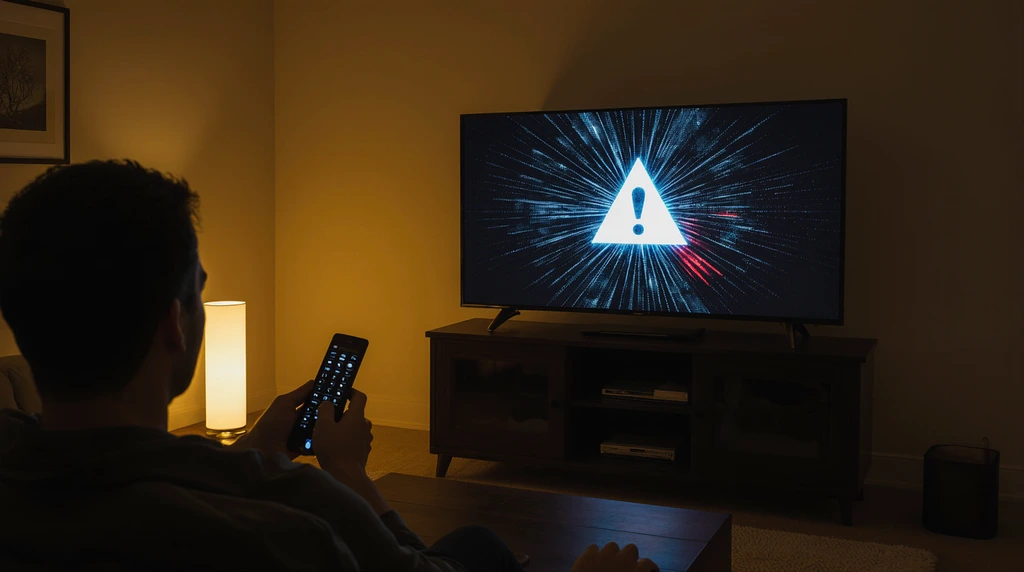
Resolving apollo group tv status code 403 requires a methodical troubleshooting approach focused on both account and network factors.
The first step is verifying subscription status and login credentials to ensure authentication is valid.
Next, users should examine their internet connection, checking for instability or ISP-level restrictions that could block IPTV traffic.
Adjusting DNS settings or switching to a different network can often bypass local filtering issues.
For users relying on VPNs, selecting a different server location or disabling the VPN temporarily may immediately restore access.
Clearing application cache, updating the app, or reinstalling it can also resolve corrupted authorization data.
Device-specific configuration errors, especially in third-party players, should be reviewed carefully to confirm server URLs and credentials are entered accurately.
Following these steps systematically helps eliminate common causes of forbidden access and restores smooth streaming functionality.
Bandwidth, Network, and Streaming Considerations

Network performance plays a critical role in preventing errors like apollo group tv status code 403.
IPTV streaming requires stable bandwidth to maintain continuous authentication and data flow between the device and server.
Insufficient bandwidth or high latency can interrupt these connections, sometimes causing servers to reject repeated or incomplete requests.
High-definition and 4K content further increase bandwidth demands, making wired connections preferable to congested Wi-Fi networks.
Users streaming during peak hours may face throttling or prioritization issues imposed by ISPs, increasing the likelihood of access errors.
Understanding how bandwidth works and ensuring your network meets recommended streaming speeds helps minimize these risks.
Optimizing router settings, limiting background traffic, and choosing reliable internet plans contribute significantly to consistent IPTV access.
By addressing these network considerations proactively, users can reduce the chances of encountering forbidden access responses during viewing sessions.
Comparison: Apollo Group TV Errors vs Other IPTV Services
| Aspect | Apollo Group TV (Status Code 403) | Other IPTV Services |
|---|---|---|
| Error Frequency | Occasional, often network-related | Varies widely |
| Primary Causes | ISP blocking, authentication issues | Server instability or poor infrastructure |
| User Fixability | Moderate with proper troubleshooting | Often limited |
| Network Sensitivity | High due to secure delivery | Varies by provider |
| Overall Reliability | High when correctly configured | Inconsistent across providers |
Advanced Fixes for Persistent Apollo Group TV Status Code 403
When basic troubleshooting does not resolve apollo group tv status code 403, more advanced corrective measures may be required.
One effective approach involves testing your connection across different networks, such as switching from home Wi-Fi to mobile hotspot, which helps isolate ISP-level blocking.
Many users discover that the error disappears instantly on alternative networks, confirming filtering issues rather than account problems.
Another advanced fix includes changing your router’s MTU settings, which can affect packet fragmentation and server authentication.
Updating router firmware is also critical, as outdated firmware may mishandle IPTV traffic.
Additionally, users should ensure that no firewall or security application is blocking streaming ports.
Understanding how internet traffic is routed, as explained in resources like HowStuffWorks, allows users to make informed network adjustments that restore uninterrupted access to Apollo Group TV.
Device-Specific Issues That Can Trigger Status Code 403
Different devices handle IPTV traffic differently, which can contribute to apollo group tv status code 403 appearing only on certain platforms.
Firestick users, for example, often experience the error due to cached data or outdated app versions. Clearing cache and data or reinstalling the app frequently resolves the issue.
Smart TVs may encounter the error if system software is outdated or if the built-in app store version is incompatible with the current Apollo Group TV service configuration.
Android devices running custom IPTV players must be configured carefully, as incorrect Xtream Codes credentials or expired playlists can result in forbidden access responses.
Ensuring that your device firmware, operating system, and streaming apps are fully updated reduces the likelihood of authorization conflicts.
Matching device capabilities with recommended streaming hardware, as reviewed by TechRadar, further enhances long-term stability.
Security, Privacy, and Error 403 Misinterpretations
Some users mistakenly associate apollo group tv status code 403 with security breaches or malware threats, which is usually not the case.
A 403 error is primarily an access control response, not an indication of hacking or data compromise. However, aggressive antivirus or network security tools can sometimes block legitimate IPTV traffic, misclassifying it as suspicious behavior.
Understanding online threats through trusted sources like Kaspersky’s threat resource center helps distinguish genuine risks from false positives.
Temporarily disabling overly restrictive security settings can help determine whether they are interfering with access.
It is important to strike a balance between maintaining digital security and allowing necessary streaming traffic. Apollo Group TV emphasizes legal and reliable service delivery, and when accessed through proper configurations, it does not inherently pose security risks to users.
Why Apollo Group TV Remains a Top Choice Despite Errors

While encountering apollo group tv status code 403 can be frustrating, it does not diminish the overall value of the service when properly configured.
Apollo Group TV remains one of the most comprehensive IPTV platforms available, offering a vast selection of live TV, premium sports, movies, and on-demand content. Its consistent uptime, broad device compatibility, and ongoing updates demonstrate a commitment to quality and reliability.
Unlike many unstable IPTV alternatives, Apollo Group TV prioritizes legal content distribution and infrastructure improvements.
Users who resolve initial access issues often report long-term satisfaction and uninterrupted streaming experiences.
The platform’s ability to replace traditional cable subscriptions and provide global content access can genuinely change daily entertainment habits, making the effort to fix temporary errors worthwhile.
Best Practices to Prevent Status Code 403 in the Future
Preventing apollo group tv status code 403 involves proactive maintenance and informed usage habits.
Users should avoid frequently switching networks or VPN locations, as rapid IP changes may trigger access restrictions.
Maintaining stable internet connections, updating apps regularly, and keeping device firmware current reduces the risk of compatibility issues.
Choosing reliable streaming hardware and routers with sufficient bandwidth capacity is equally important. Monitoring ISP policies regarding streaming traffic helps users anticipate potential blocks before they occur.
Additionally, following official Apollo Group TV setup guidelines ensures authentication data remains valid and synchronized.
By adopting these best practices, users can significantly reduce the likelihood of encountering forbidden access errors and enjoy consistent service performance.
The Role of Internet Protocol Television in Access Errors
Internet Protocol Television relies on real-time data transmission and authentication mechanisms that differ from traditional broadcasting.
Because IPTV streams require continuous verification, even minor disruptions can result in access denial responses like apollo group tv status code 403.
Understanding the fundamentals of IPTV, as outlined in Wikipedia’s explanation of Internet Protocol Television, helps users appreciate the complexity behind modern streaming services.
Unlike static downloads, IPTV streams must maintain constant communication between client and server, making them sensitive to network changes.
This sensitivity explains why IPTV errors are often network-related rather than content-related. Recognizing this distinction empowers users to troubleshoot intelligently and adapt their setups for optimal performance.
Comparison of Long-Term Reliability After Fixing Error 403
| Factor | After Resolving 403 on Apollo Group TV | Typical IPTV Alternatives |
|---|---|---|
| Stream Stability | High and consistent | Often unstable |
| Content Availability | Extensive global library | Limited or inconsistent |
| Legal Reliability | Strong focus on compliance | Often unclear |
| User Satisfaction | High after setup | Mixed |
| Support Resources | Community and guides | Minimal |
Conclusion
Encountering apollo group tv status code 403 can initially feel like a major obstacle, but understanding its causes transforms it into a manageable technical challenge rather than a service failure.
This error typically signals network, authentication, or configuration issues rather than problems with the Apollo Group TV platform itself. By applying structured troubleshooting steps, optimizing network conditions, and maintaining updated devices, most users can resolve the issue effectively.
Apollo Group TV continues to stand out as a reliable, legal, and content-rich IPTV service capable of replacing traditional television and enhancing everyday entertainment.
Once access is restored, users often enjoy long-term stability and value that justifies the initial effort required to address temporary errors.
Frequently Asked Questions
What does apollo group tv status code 403 mean exactly?
Apollo group tv status code 403 means the streaming server has received your request but is refusing access.
This usually happens due to authentication issues, network restrictions, or ISP-level blocking rather than server downtime or account cancellation.
Is apollo group tv status code 403 caused by my subscription being inactive?
Not always.
While expired subscriptions can cause access denial, most 403 errors are linked to network configuration, IP blocking, VPN interference, or incorrect app setup rather than inactive accounts.
Can my internet service provider cause status code 403?
Yes, ISPs can block or throttle IPTV traffic, which often results in apollo group tv status code 403.
Switching networks, adjusting DNS settings, or using compliant routing solutions may resolve the issue.
Does using a VPN help fix apollo group tv status code 403?
In some cases, yes.
A properly configured VPN can bypass ISP restrictions. However, poorly chosen VPN servers may also trigger the error, so selecting stable, high-quality endpoints is important.
Why does the error appear on one device but not another?
Different devices handle IPTV authentication and caching differently.
App cache, outdated firmware, or incorrect player configuration can cause apollo group tv status code 403 on one device while others work normally.
Is apollo group tv status code 403 a security or hacking issue?
No.
A 403 error is an access control response, not a security breach. It does not indicate malware or hacking when using Apollo Group TV through proper configurations.
How can I prevent status code 403 from happening again?
Maintain stable internet connections, avoid frequent IP changes, keep apps and devices updated, and follow official setup instructions.
These steps greatly reduce the chance of encountering apollo group tv status code 403 again.