
Table of Contents
Table of Contents
The world of digital broadcasting has shifted dramatically toward Internet Protocol television, and at the heart of this revolution lies the IPTV encoder box. This sophisticated piece of hardware is responsible for taking raw video signals from sources like cameras, computers, or media players and converting them into a digital format that can be transmitted over the internet.
Without a high-quality encoder, delivering stable, high-definition live streams would be virtually impossible. For professionals looking to manage their own content delivery or for enthusiasts wanting to understand the backbone of services like Apollo Group TV, grasping the mechanics of encoding is essential. It ensures that every frame of your favorite sports or movies is delivered with surgical precision and minimal latency.
Understanding the Role of an IPTV Encoder Box
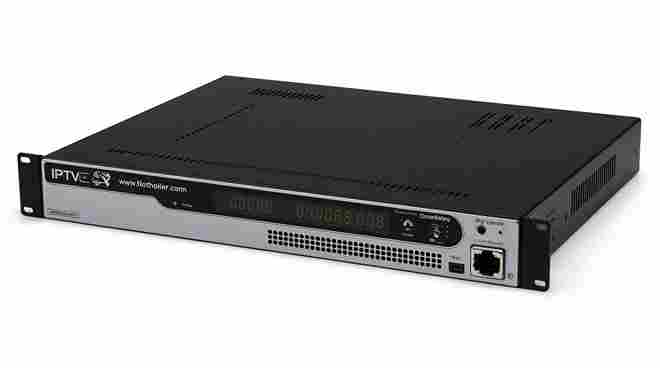
An IPTV encoder box serves as the primary bridge between traditional video capture and the modern digital landscape. Its main function is to compress massive amounts of raw video data into a manageable stream that doesn’t overwhelm your internet connection. By using advanced compression standards like H.264 or H.265 (HEVC), these boxes reduce file sizes without sacrificing the visual clarity that viewers expect in 2026. This process is vital for anyone aiming to provide a reliable and legal service that stands out in a crowded market. These devices are frequently used by hotels, hospitals, and corporate offices to distribute internal television lineups across a local network efficiently.
When you invest in a dedicated IPTV encoder box, you are essentially buying consistency. Unlike software-based solutions that rely on a computer’s CPU, a hardware encoder is built for one specific purpose: processing video. This dedicated focus means fewer crashes, lower heat production, and a significantly longer operational lifespan. For those who are currently exploring how to set up Apollo Group TV, understanding the hardware side of the equation can help in troubleshooting any potential delivery issues. These boxes often feature multiple input types, including HDMI, SDI, or even VGA, allowing for a wide range of source compatibility to meet diverse broadcasting requirements.
How Video Encoding Works for Modern Streaming
To truly appreciate an IPTV encoder box, one must understand the technical wizardry happening inside the chassis. The process begins with “sampling,” where the device captures snapshots of the incoming video signal. Once captured, the encoder applies a codec to remove redundant information—such as parts of the background that don’t move between frames. This massive reduction in data is what allows high-definition content to travel through the relatively narrow “pipes” of the public internet. According to technical resources found on Wikipedia, this orchestration of data packets is what defines the modern viewing experience, moving away from traditional radio waves toward a more robust internet-based delivery system.
The efficiency of your IPTV encoder box directly impacts the “bitrate,” which is the amount of data processed per second. A higher bitrate generally means better quality, but it also requires more bandwidth from both the sender and the receiver. High-end encoders offer “Variable Bitrate” (VBR) settings, which automatically adjust the data flow based on the complexity of the scene. For instance, a fast-paced action movie requires more data than a static news broadcast. By managing these fluctuations, the encoder ensures that users experience smooth playback without the dreaded buffering icons often associated with lower-tier streaming setups or poorly optimized hardware.
Key Features to Look for in a High-End Encoder
When shopping for an IPTV encoder box, the sheer number of specifications can be overwhelming. The first priority should always be the supported codecs; in today’s market, H.265 (HEVC) is the gold standard because it offers the same quality as H.264 but at half the bitrate. Additionally, look for devices that offer “multi-protocol support.” A versatile encoder should be able to output streams in RTMP, RTSP, HLS, and UDP simultaneously. This flexibility allows you to reach viewers on various devices, from smart TVs to mobile phones. This is particularly relevant if you are looking to optimize your multi-device setup guide for a seamless home entertainment ecosystem.
Another critical feature is the “latency” or delay of the IPTV encoder box. For live events like sports or gaming, a delay of even a few seconds can ruin the experience. Low-latency encoders are specifically designed to minimize the time between a real-world action and its appearance on the screen. Furthermore, consider the physical build quality and cooling mechanisms. Since these devices often run 24/7, professional-grade aluminum housing and heat sinks are necessary to prevent thermal throttling. Whether you are using it for a small project or integrating it into the best secret IPTV service of 2026, the hardware’s reliability is your most valuable asset.
Hardware vs. Software Encoding: Making the Right Choice
The debate between using a physical IPTV encoder box and a software-based encoder is ongoing, but for professional applications, hardware almost always wins. Software encoders, like OBS or FFmpeg, run on general-purpose computers, which means they must share resources with the operating system and other background tasks. This can lead to dropped frames or system instability during long broadcasts. In contrast, a hardware box has an “Application-Specific Integrated Circuit” (ASIC) designed solely for video math. This efficiency ensures that the output remains constant and reliable, which is a hallmark of what makes Apollo Group TV so popular among demanding streamers.
While software solutions might be cheaper initially, the long-term costs of a physical IPTV encoder box are often lower when considering power consumption and system maintenance. Hardware encoders are “plug-and-play” devices that don’t require frequent OS updates or driver patches that could potentially break your streaming workflow. For those who prioritize a “set it and forget it” mentality, the investment in dedicated hardware is justified. If you are serious about moving away from traditional media and want to cancel cable and switch to IPTV, ensuring your source encoding is professional-grade is the first step toward a high-quality, frustration-free viewing environment.
Integrating Encoders with Premium IPTV Services
Integrating an IPTV encoder box into an existing setup requires a clear understanding of your service provider’s requirements. Most premium services use a middleware or a specific portal to manage content, and your encoder must be configured to point its output toward those servers. This involves setting up the correct IP address, port number, and stream key within the encoder’s web-based management interface. This technical synergy is what allows for the delivery of unlimited live TV to thousands of users simultaneously. By controlling the encoding at the source, providers can ensure that the “end-user” experience is crisp, clear, and devoid of common digital artifacts.
Security is another vital aspect of integration. When you transmit video over the internet, you must protect your stream from unauthorized access and potential cyber threats. Many modern IPTV encoder box models include built-in encryption and password protection for their management interfaces. For users who are concerned about the safety of their digital hobby, checking if Apollo Group TV is safe usually involves looking at the encryption layers used during the transmission process. A well-configured encoder not only delivers high-quality video but also acts as a secure gatekeeper for your valuable content, ensuring that only authorized viewers can access the stream.
Common Protocols: RTMP, HLS, and Beyond
The “language” your IPTV encoder box speaks is determined by its protocol. RTMP (Real-Time Messaging Protocol) was once the industry standard for low-latency streaming, but it is slowly being replaced by HLS (HTTP Live Streaming) due to the latter’s superior compatibility with web browsers and mobile devices. HLS works by breaking the video into small chunks, allowing the player to adjust quality on the fly based on the user’s internet speed. This is why you might notice a video’s quality dip for a second before returning to 4K—that’s HLS at work. Understanding these protocols is crucial for anyone trying to troubleshoot why Apollo Group TV is buffering.
For those seeking the absolute lowest latency possible, some IPTV encoder box units support SRT (Secure Reliable Transport). SRT is an open-source protocol that provides the low latency of UDP with the error-correction capabilities of TCP. It is specifically designed to handle “jitter” and packet loss over noisy networks, making it ideal for international broadcasting. As the streaming industry evolves, the ability of your hardware to adapt to these new standards will determine its longevity. Staying informed via tech news sites like CNET or TechRadar can help you keep your setup at the cutting edge of what is technologically possible.
Optimizing Network Performance and Bandwidth
No matter how powerful your IPTV encoder box is, its performance will be bottlenecked by your network. To achieve a professional-grade stream, a “wired” Ethernet connection is mandatory; Wi-Fi is far too prone to interference and signal drops for high-bitrate encoding. Furthermore, you should calculate your “upload” speed, not just your download speed. Your upload capacity must be at least double the bitrate you intend to stream at to provide a safety margin. This ensures that even if there is a minor spike in network traffic, your IPTV streaming service remains uninterrupted. Managing these network variables is the secret to a high-uptime broadcasting environment.
Inside the IPTV encoder box settings, you can also manage “Group of Pictures” (GOP) size and “Frame Rate.” A consistent frame rate, such as 30 or 60 fps, is essential for a natural viewing experience. If your network is struggling, it is better to lower the resolution (e.g., from 4K to 1080p) than to allow the frame rate to drop, as choppy video is much more distracting to viewers than a slightly softer image. For those who frequently encounter issues, investigating why Apollo Group TV freezes often reveals that the local network is being overtaxed by too many simultaneous devices or insufficient upload bandwidth.
Comparison Table: Top Encoder Specifications
| Feature | Entry-Level Encoder | Professional Encoder | Enterprise Encoder |
| Max Resolution | 1080p @ 30fps | 4K @ 60fps | 8K @ 60fps |
| Codecs Supported | H.264 | H.264, H.265 | H.264, H.265, AV1 |
| Protocols | RTMP, RTSP | RTMP, HLS, SRT, UDP | Full Suite + NDI |
| Inputs | 1x HDMI | 4x HDMI / SDI | Modular (Up to 16) |
| Cooling | Passive | Active (Fan) | Industrial Grade |
| Best For | Hobbyists | Content Creators | Corporate/Broadcasting |
Choosing the right IPTV encoder box requires a balance between your current needs and your future ambitions. While an entry-level unit might suffice for a basic setup, those looking to provide a top-tier experience—comparable to the best alternatives to Apollo Group TV—will find that professional features like H.265 support and 4K capability are worth the extra cost. By carefully analyzing the specifications in the table above, you can select a device that provides the reliability and visual fidelity required to transform your digital media consumption. Remember, the encoder is the foundation upon which your entire streaming experience is built.
Advanced Configuration and Professional Management of Your IPTV Encoder Box
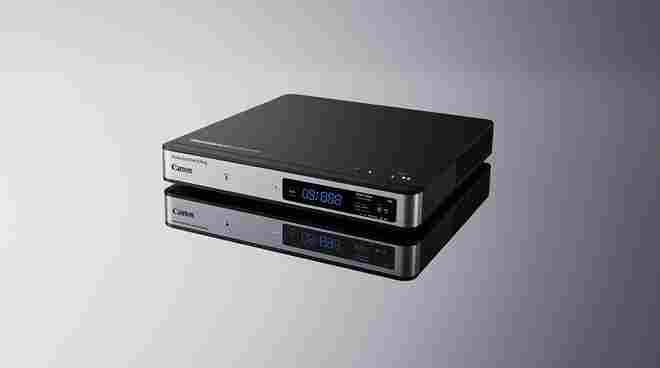
Setting up a professional IPTV encoder box is only the beginning; the real magic happens during the fine-tuning of the internal software. To achieve the level of quality seen on premium platforms like Apollo Group TV, you must master the “Web GUI” (Graphical User Interface) of your device. This is where you configure the “Stream ID,” “Destination URL,” and “Port” settings.
For a stable broadcast, it is often recommended to use a static IP address for the encoder. This prevents the device from losing its connection to the local network during a router reboot, a common issue that can lead to Apollo Group TV not working if your internal routing is misconfigured. By taking control of these settings, you ensure a rock-solid foundation for your streaming infrastructure.
The “Color Space” and “Chroma Subsampling” are two advanced features often found in high-end IPTV encoder box models. For most streaming applications, a 4:2:0 subsampling is standard, as it provides a great balance between color accuracy and bandwidth efficiency. However, if you are broadcasting high-detail content like sports or nature documentaries, moving to 4:2:2 can provide noticeably sharper edges and more vibrant colors. According to insights from HowStuffWorks, these technical nuances are what separate hobbyist streams from professional broadcasts. Ensuring your encoder is set to the correct frame rate—matching your source material exactly—prevents “judder” and keeps the motion fluid and lifelike for your audience.
Selecting the Right Input for Maximum Fidelity
The physical connection to your IPTV encoder box is the “first mile” of your stream’s journey. HDMI is the most common input, supporting high resolutions and digital audio; however, it often comes with HDCP (High-bandwidth Digital Content Protection) which can block streaming from certain devices. Professional broadcasters often prefer SDI (Serial Digital Interface) because it features a locking connector and supports much longer cable runs without signal degradation. If you are building a home setup to watch all channels for cheap in 2026, ensure your encoder’s input matches your playback device’s output capabilities. Using a high-quality, shielded cable is a small investment that prevents electromagnetic interference from ruining your picture quality.
Audio encoding is just as vital as video. Most IPTV encoder box units allow you to choose between AAC, MP3, or AC3 audio codecs. AAC is generally preferred for IPTV because it offers superior sound quality at lower bitrates. You should also pay attention to the “Audio Sampling Rate,” typically set to 44.1 kHz or 48 kHz. If the audio and video sync seems off, many encoders provide a “Delay” setting to manually align the two signals. This level of granular control is why thousands of users choose to install Apollo Group TV on high-performance hardware, as it allows for a cinematic experience that matches the quality of traditional cable or satellite providers.
Monitoring and Troubleshooting Your Encoding Workflow
A professional IPTV encoder box should never be left to run unmonitored. Most high-quality units provide a “Status” page that shows real-time statistics, including CPU load, memory usage, and current output bitrate. If the CPU load is consistently above 80%, it is a sign that your settings (like resolution or codec complexity) are too high for the hardware to handle, which could lead to Apollo Group TV buffering issues. By keeping an eye on these metrics, you can preemptively adjust settings before the viewers notice any degradation in service. This proactive approach is a hallmark of a reliable and legal service that prioritizes user satisfaction above all else.
If you encounter a total signal loss, the first step is to check the “Input Signal” status on the encoder’s dashboard. If the encoder sees the signal but isn’t outputting a stream, the problem usually lies with the network or the destination server credentials. In cases where the video appears distorted or “pixelated,” it is often a sign of a “Bitrate Starvation,” where the set bitrate is too low for the resolution. For those who need help with their specific setup, the Apollo Group TV help section offers a wealth of troubleshooting guides that can be applied to various hardware configurations. Understanding the relationship between hardware limits and software settings is the key to mastering the digital airwaves.
The Future of Encoding: AI and AV1 Support
As we move further into 2026, the technology inside the IPTV encoder box continues to evolve. One of the most exciting developments is the rise of the AV1 codec. AV1 is an open-source, royalty-free video coding format designed to succeed HEVC (H.265). It offers even better compression, which is crucial for the future of 8K streaming and mobile viewing on limited data plans. Many next-generation encoders are now including hardware-accelerated AV1 support. Keeping up with these trends on sites like TechRadar will ensure your hardware doesn’t become obsolete. Modern encoders are also starting to use AI to analyze video frames in real-time, applying more compression to static areas and preserving detail in moving subjects.
This AI-driven approach significantly reduces the bandwidth required for high-quality streams, making it easier than ever to provide a top-tier choice for global audiences. Whether you are a professional broadcaster or a casual viewer looking for the best secret IPTV service in 2026, the hardware you choose today will dictate your viewing quality for years to come. The goal is always the same: to deliver the best possible image with the least amount of data, ensuring a smooth, uninterrupted experience that truly changes the way you consume media. By investing in a high-quality encoder, you are future-proofing your entertainment system against the ever-increasing demands of digital content.
Conclusion
In the rapidly expanding world of digital media, the IPTV encoder box stands as the unsung hero of the streaming revolution. It is the critical link that transforms raw video into a globally accessible digital stream, balancing the delicate trade-off between high-definition quality and network efficiency. By understanding the nuances of codecs like H.265, mastering various streaming protocols, and optimizing your local network, you can unlock a level of viewing performance that was once reserved for major television networks.
Choosing a dedicated hardware encoder over software solutions provides the stability and reliability necessary for a truly professional experience. Whether you are managing a complex corporate broadcast or simply looking to enhance your home entertainment through a reliable and legal service, the right equipment makes all the difference. As we look toward a future filled with 4K and 8K content, the role of the encoder will only become more vital. Embrace this technology, and you will find that the world of unlimited live TV is more accessible, more stable, and more vibrant than ever before.
Frequently Asked Questions
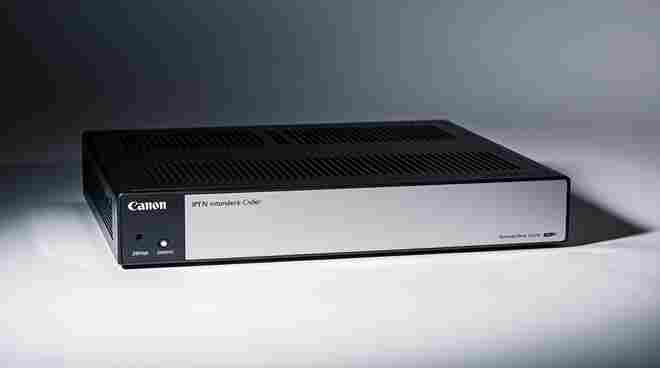
What is the main purpose of an IPTV encoder box? The primary function of an IPTV encoder box is to take a video signal (from a camera or media player) and compress it into a digital format that can be streamed over the internet. It ensures the video file size is small enough to travel through network “pipes” while maintaining high visual quality.
Can I use an IPTV encoder box for my home gaming setup? Yes, many gamers use HDMI encoders to stream their gameplay to platforms without taxing their PC’s processor. This allows for a much smoother gaming experience and a higher-quality stream for the audience.
Is H.265 really better than H.264 for encoding? Absolutely. H.265 (HEVC) is roughly 50% more efficient than H.264. This means you can either stream at the same quality using half the bandwidth or significantly increase your video quality while keeping your data usage the same.
Why does my encoder stream keep buffering? Buffering is usually caused by an “Upload” speed that is too low for the chosen bitrate. Ensure your internet connection’s upload capacity is at least double your streaming bitrate, and always use a wired Ethernet connection for your IPTV encoder box.
How do I connect my encoder to Apollo Group TV? You typically log into your encoder’s web interface and enter the RTMP or HLS destination URL provided by your service portal. For more specific steps, you can refer to a setup guide to ensure all credentials and port settings are correct.
Does a hardware encoder box get hot during use? IPTV encoder box Because encoding is a mathematically intensive process, these devices do generate heat. Professional models are designed with aluminum heat sinks or internal fans to manage this. It is important to keep the device in a well-ventilated area to prevent performance drops.
Can one IPTV encoder box stream to multiple platforms at once? IPTV encoder box Many professional-grade encoders support “multi-streaming,” allowing you to send your video to several different destinations (like YouTube, Facebook, and a private server) simultaneously, provided your upload bandwidth can handle the total data load.
What is the difference between an encoder and a decoder? An IPTV encoder box “packs” the video into a digital stream at the source, while a decoder “unpacks” that stream at the viewer’s end (like a smart TV or Firestick) so it can be displayed on a screen. You need both for the IPTV ecosystem to function.