
This in-depth guide is designed to answer every major question people ask about Apollo TV. It covers features, pricing, setup, legality concerns, supported devices, performance, pros and cons, comparisons, and FAQs. The goal is to give you clear, unbiased, and useful information so you can decide whether Apollo TV fits your needs.
Table of Contents
Table of Contents
What Is Apollo TV?
Apollo TV is an IPTV (Internet Protocol Television) service that delivers live TV channels and video-on-demand content through the internet. Instead of relying on cable or satellite infrastructure, Apollo TV streams content directly to compatible devices. This makes it popular among users who want flexibility and lower monthly costs.
Unlike traditional streaming platforms such as Netflix or Hulu, Apollo TV focuses heavily on live television. It provides access to hundreds, and sometimes thousands, of channels across different categories. These typically include sports, news, entertainment, and international programming.
Many users choose Apollo because it combines live TV and on-demand content in one service. This all-in-one approach makes it appealing for cord-cutters looking to replace cable entirely.
Channels and Content Available on Apollo TV
Live TV Channels on Apollo TV
Apollo is best known for its wide range of live TV channels. These channels often include content that would normally require multiple cable packages.
Common channel categories include:
- News networks
- Entertainment channels
- Sports networks
- Movie channels
- Kids programming
- Lifestyle and reality TV
For users in the United States, access to U.S.-based channels is one of the biggest draws of Apollo.
Sports Channels on Apollo TV
Sports fans are a major audience for Apollo. The service often includes coverage of popular American sports leagues.
Examples of sports content users look for include:
- NFL, NBA, MLB, and NHL games
- College sports coverage
- International sports events
- Sports talk and analysis channels
Fact: Many users turn to Apollo TV specifically during sports seasons to avoid expensive cable sports packages.
Movies and TV Shows Library
Apollo typically includes a large Video on Demand (VOD) library. This section allows users to watch movies and TV shows at their convenience.
VOD content usually includes:
- Recent movie releases
- Classic films
- Popular TV series
- Box sets and complete seasons
This combination of live TV and on-demand content helps Apollo compete with mainstream streaming services.
International Channels on Apollo
Apollo often appeals to multicultural households. The service may offer international channels from various regions.
These can include:
- Latin American channels
- European channels
- Middle Eastern programming
- Asian content
This makes Apollo useful for families who want access to content in multiple languages.
Apollo Features Explained
High-Definition and 4K Streaming Quality
Apollo supports multiple streaming resolutions. Depending on the channel and your internet speed, streams may be available in:
- Standard Definition (SD)
- High Definition (HD)
- Full HD (1080p)
- 4K (limited content)
Tip: A stable internet connection is more important than resolution when it comes to smooth playback.
Electronic Program Guide (EPG)
The Electronic Program Guide (EPG) allows users to see what is currently playing and what’s coming up next. This feature closely resembles traditional cable TV guides.
Benefits of the EPG include:
- Easy navigation
- Program scheduling information
- Better channel organization
An accurate EPG significantly improves the overall user experience.
Multi-Device Streaming Support
Apollo supports streaming on multiple devices. Some subscription plans allow more than one simultaneous connection.
This is helpful for:
- Families with multiple viewers
- Shared households
- Users with TVs in different rooms
Always check your plan limits to avoid connection issues.
User Interface and App Experience
The Apollo app interface is generally designed to be simple and functional. Users can browse live channels, search for content, and access on-demand libraries.
Common interface features include:
- Category-based channel lists
- Search functionality
- Favorites lists
- Recently watched sections
A clean interface makes Apollo accessible even for non-technical users.
Apollo Pricing and Subscription Plans
Apollo Subscription Options
Apollo typically offers several subscription lengths. These plans are designed to fit different budgets and usage needs.
Common plan options include:
- Monthly subscriptions
- Quarterly plans
- Semi-annual subscriptions
- Annual plans
Longer plans often come with discounted rates.
Typical Apollo Pricing Structure
Below is a sample pricing table based on commonly advertised plans (prices may vary):
| Plan Length | Approximate Cost (USD) | Best For |
|---|---|---|
| 1 Month | $20–$25 | Short-term users |
| 3 Months | $50–$60 | Casual viewers |
| 6 Months | $80–$100 | Regular users |
| 12 Months | $150–$170 | Long-term cord-cutters |
Note: Always verify pricing directly from the service provider.
Is Apollo Worth the Cost?
For many users, Apollo costs significantly less than cable TV. Cable packages in the U.S. often exceed $100 per month.
Apollo can be worth it if you:
- Watch a lot of live TV
- Want sports without cable
- Prefer flexible subscriptions
However, value depends on content availability and performance consistency.
How to Set Up Apollo (Step-by-Step Guide)
Apollo Setup on Android Devices
Android devices are among the easiest platforms for Apollo installation. Most users install the app directly or via an APK.
General steps include:
- Enable app installation from unknown sources
- Download the Apollo app
- Log in using subscription credentials
Setup usually takes less than 10 minutes.
Apollo TV Setup on Firestick
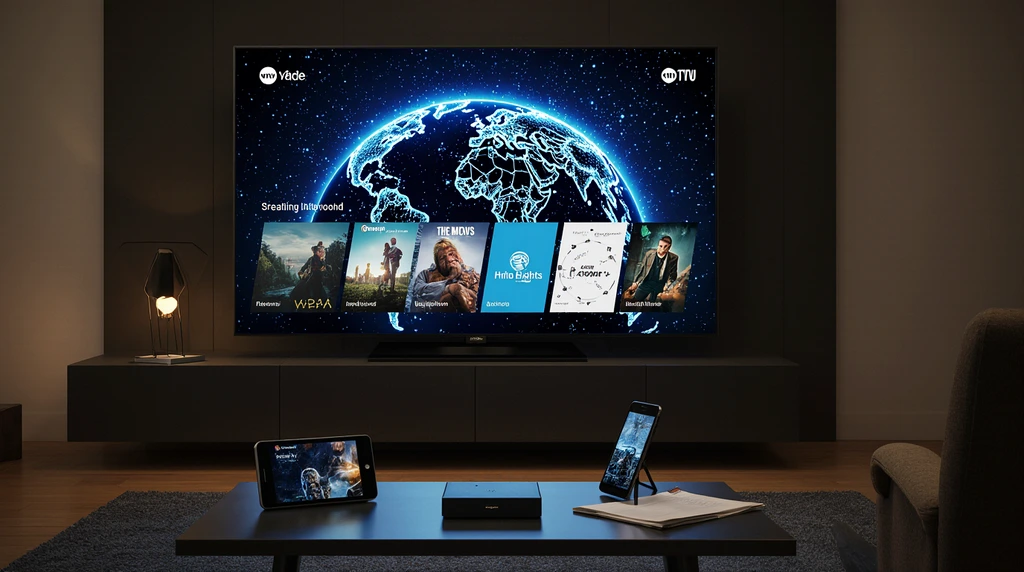
Amazon Firestick is one of the most popular devices for Apollo.
Users typically:
- Install a downloader app
- Enter the Apollo download URL
- Install and log in
Firestick compatibility is a major reason for Apollo TV’s popularity.
Apollo on Smart TVs and Computers
Apollo can also be accessed through Smart TVs, Windows PCs, and Macs using compatible apps or IPTV players.
This flexibility allows users to stream on larger screens without extra hardware.
Devices Compatible With Apollo
Apollo supports a wide range of devices, which adds to its appeal.
Commonly Supported Devices
- Amazon Firestick and Fire TV
- Android phones and Android TV boxes
- Smart TVs (varies by brand)
- Tablets
- Windows and Mac computers
Case Study: A U.S. household with two Firesticks and one Android phone can stream Apollo across multiple rooms with one subscription plan.
Apollo Streaming Quality and Performance
Internet Speed Requirements
For smooth playback, recommended internet speeds are:
- SD streaming: 5 Mbps
- HD streaming: 10 Mbps
- Full HD: 20 Mbps
- 4K streaming: 25+ Mbps
A wired connection or strong Wi-Fi signal improves reliability.
Buffering and Stability
Buffering can occur due to:
- Slow internet speeds
- Server congestion
- Device limitations
Using a reliable ISP and updated devices helps reduce issues.
Is Apollo Legal and Safe to Use?
Apollo Legal Considerations
Apollo operates in a legally complex space. IPTV services vary in how they license content.
In the United States:
- Laws depend on content licensing
- Users should research local regulations
- Legal status may change over time
This article does not provide legal advice.
Is Apollo Safe for Users?
From a technical standpoint, Apollo apps generally do not pose inherent security risks when downloaded from trusted sources.
Basic safety tips include:
- Use strong passwords
- Avoid suspicious download links
- Keep devices updated
Apollo Pros and Cons
Advantages of Apollo
- Lower cost than cable
- Large channel selection
- Sports and live TV access
- Multi-device compatibility
Disadvantages of Apollo
- Internet-dependent service
- Inconsistent channel availability
- Limited official customer support
Apollo vs Competitors
Apollo vs Cable TV
| Feature | Apollo | Cable TV |
|---|---|---|
| Monthly Cost | Low | High |
| Contract Required | No | Yes |
| Device Flexibility | High | Low |
| Channel Variety | High | Moderate |
Apollo is often favored by cord-cutters due to flexibility and cost savings.
Common Apollo Problems and Solutions
Frequent Issues
- App not loading
- Channels buffering
- Login errors
Basic Fixes
- Restart the app
- Check internet connection
- Update the app
Most issues are temporary and resolved quickly.
Apollo Customer Support and Reliability
Customer support options may include:
- Email support
- Online help guides
- Community forums
Response times can vary, which is common with IPTV services.
Frequently Asked Questions About Apollo TV
Is Apollo TV Free?
No, Apollo TV requires a paid subscription.
Can Apollo TV Replace Cable?
For many users, yes. It depends on viewing habits and internet reliability.
How Many Devices Can Use Apollo TV?
This depends on the subscription plan and simultaneous stream limits.
Tips to Get the Best Experience With Apollo TV
- Use a high-speed internet connection
- Choose reliable streaming devices
- Keep apps updated
- Avoid overcrowded Wi-Fi networks
These steps improve performance and reliability.
Final Verdict: Is Apollo TV Worth It?
Apollo TV is a powerful alternative to traditional cable TV for users in the United States. It offers live TV, sports, and on-demand content at a lower cost and with greater flexibility.
For cord-cutters who value variety and affordability, Apollo TV can be a strong option. However, users should understand its limitations and do their own research before subscribing.
Bottom line: Apollo TV is best suited for users who want affordable live TV, sports access, and multi-device streaming without long-term contracts.